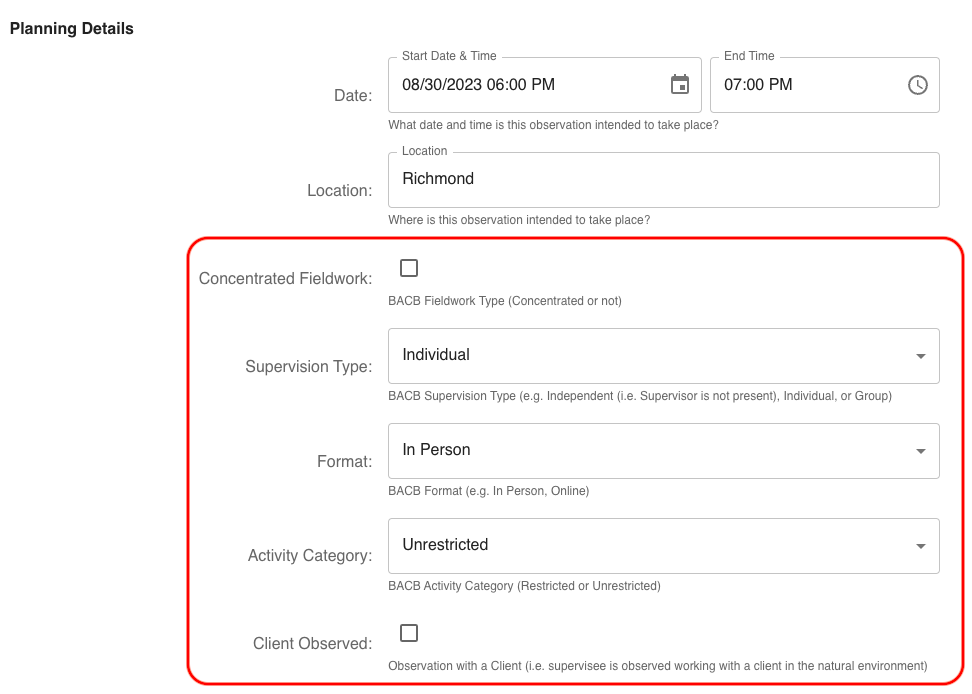
Custom Fields
Behaview includes a set of “native” fields requires for its core flow, and augments it with “custom fields” that each organization can define for itself. By default organizations in Behaview are tailed for a typical BCBA practice, but you can customize your organization for your own needs.
Customizing Fields
If you have administrative privileges, you can go to the Organization page to customize fields for your organization.
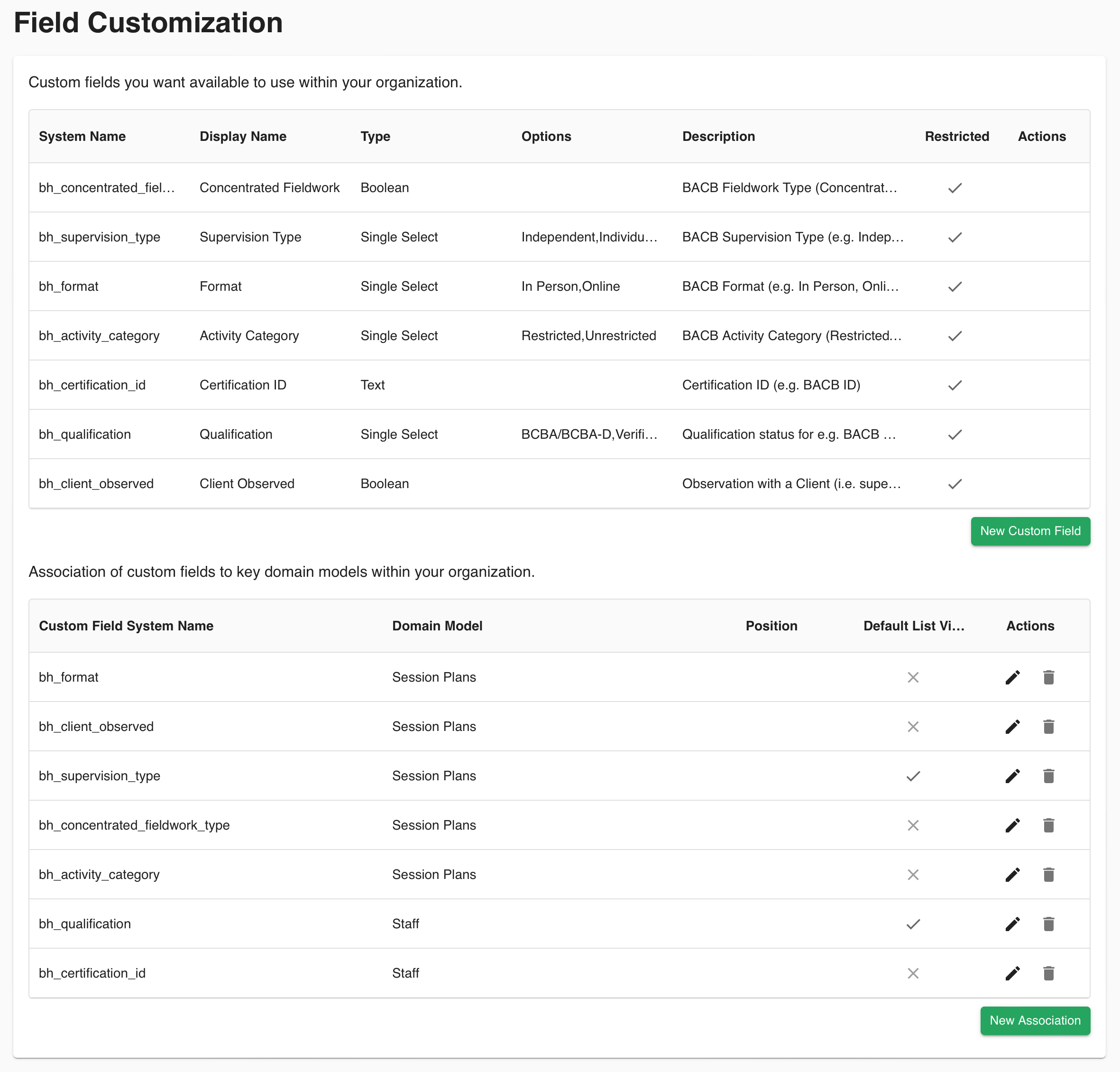
There are two distinct parts:
- Defining Custom Fields - here you define the configuration required for a particular field, but cannot yet use them until you associate them.
- Associating Custom Fields with Domain Models - here you associate custom fields to different Domain Models in Behaview. You can associate the same field to multiple Domain Models if required.
Field Settings
- System Name - the underlying system name of the field. Changing this will displace any data associated to this field. Do not change this once a field has started to be used..
- Display Name - this is what will be shown to users.
- Type - the visual control used to capture data for this field.
- Options - where relevant for the associated type, you can define options for the field. For example, for a
Single Selecttype, you can define the values that will be shown to users. - Description - the associated helper text that will be shown for the field, where relevant.
Association Settings
- Custom Field System Name - the system name of the custom field to associate.
- Domain Model - the “Domain Model” (e.g. Skills, Session Plans) to associate the custom field with.
- Position - the respective position of the custom field, relative to other custom fields, to display in forms, or where relevant.
- Default List View - whether to show the custom field in lists by default, or whether it should be hidden and require explicit user selection to make visible.
Below is an example of the default custom fields that are provided out of the box for BACB purposes for Session Plans.